Build WooCommerce shopping experiences with Elementor
Bulk ordering. Product layouts. Reasons to return.
Create product tables for bulk ordering, design product layouts, and help shoppers return to Favorites and Recently Viewed products. Start with Free, or choose Pro for product tables, advanced shopping tools and customer insights.
Explore the widgets below, from product layouts and bulk ordering to Favorites, cart tools and customer insights.
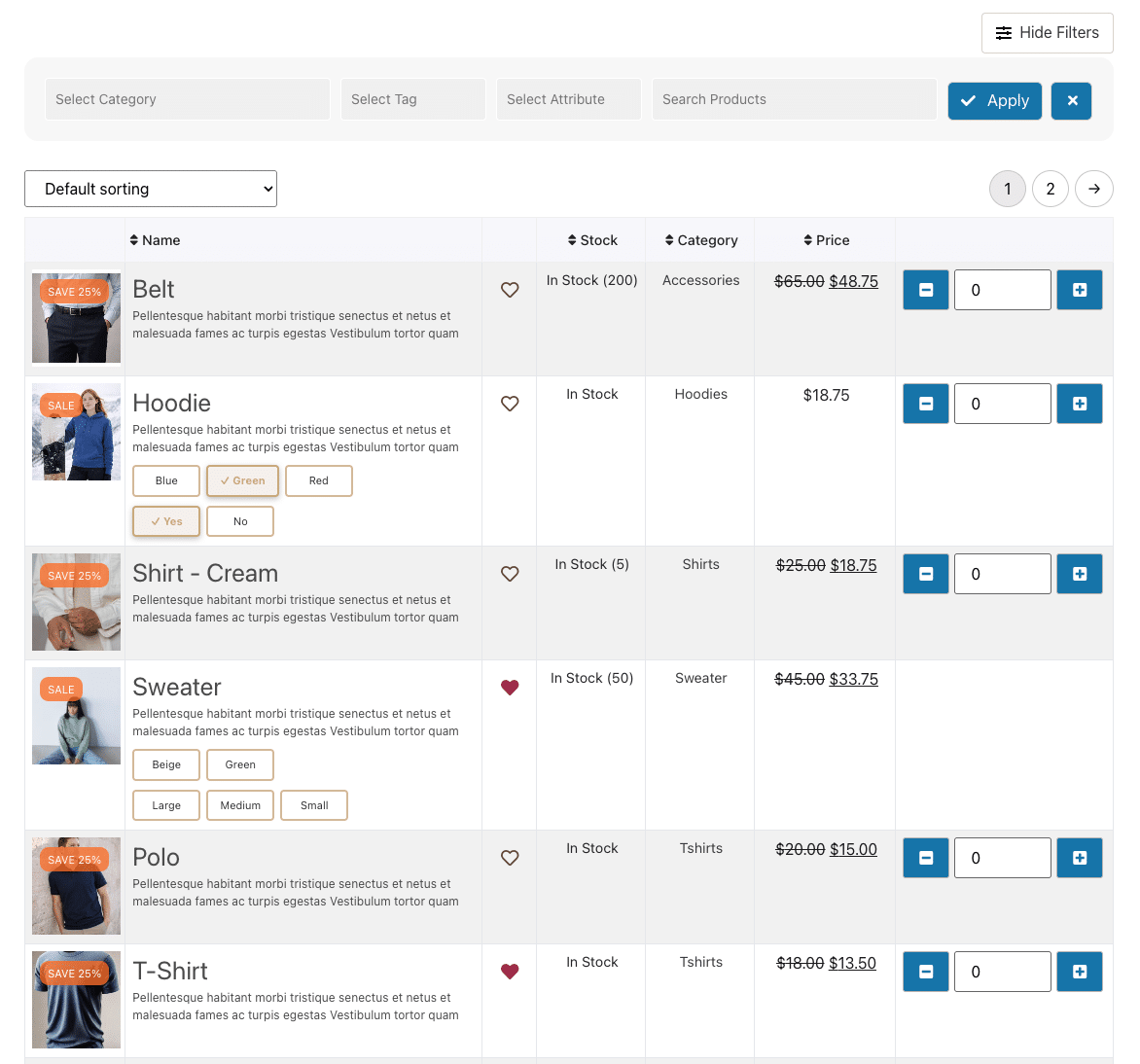
Product Table (PRO)
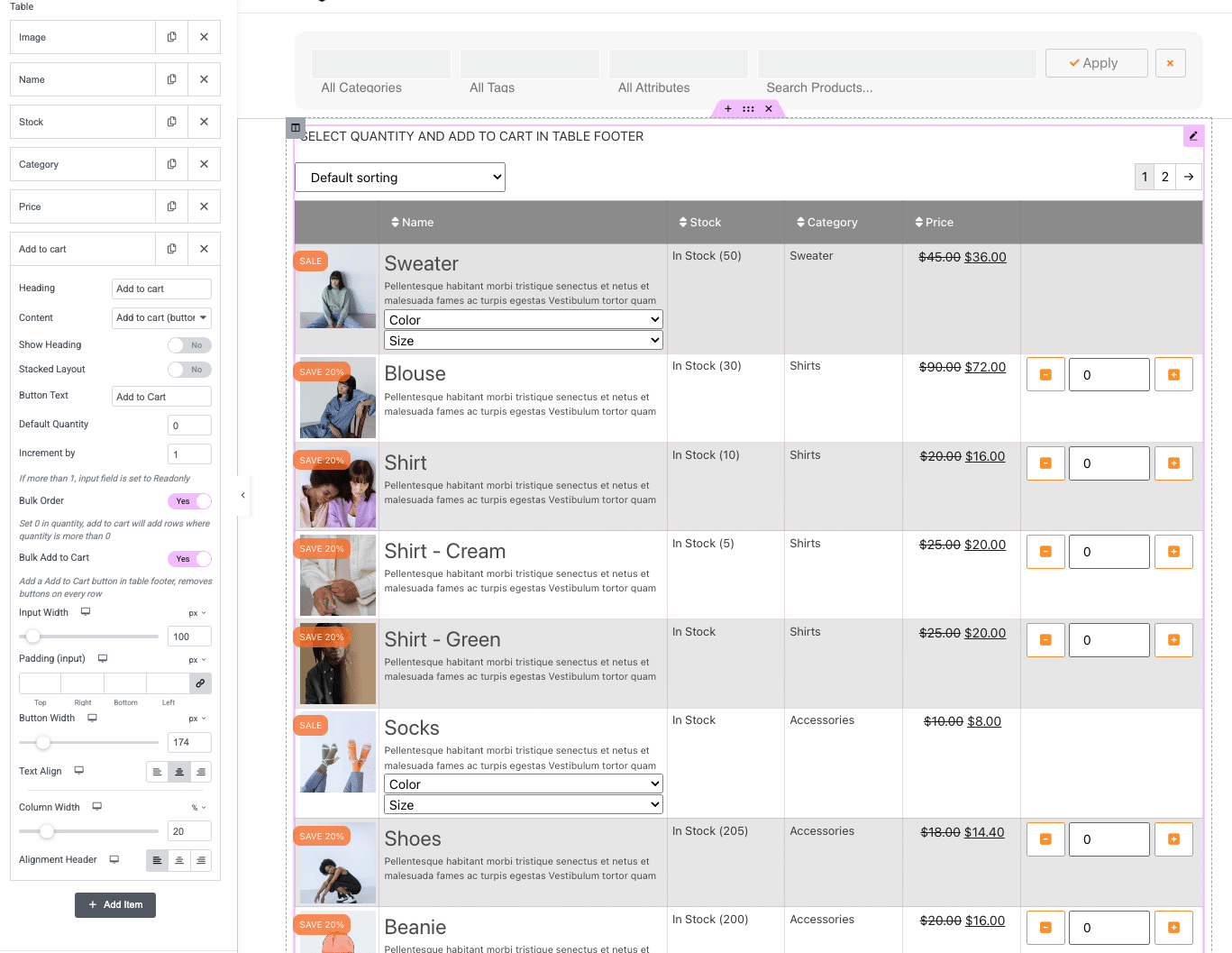
Build a customizable product table with attributes, variations, bulk add-to-cart and image lightboxes. Designed for B2B ordering and large catalogs.
Product Grid (Free)
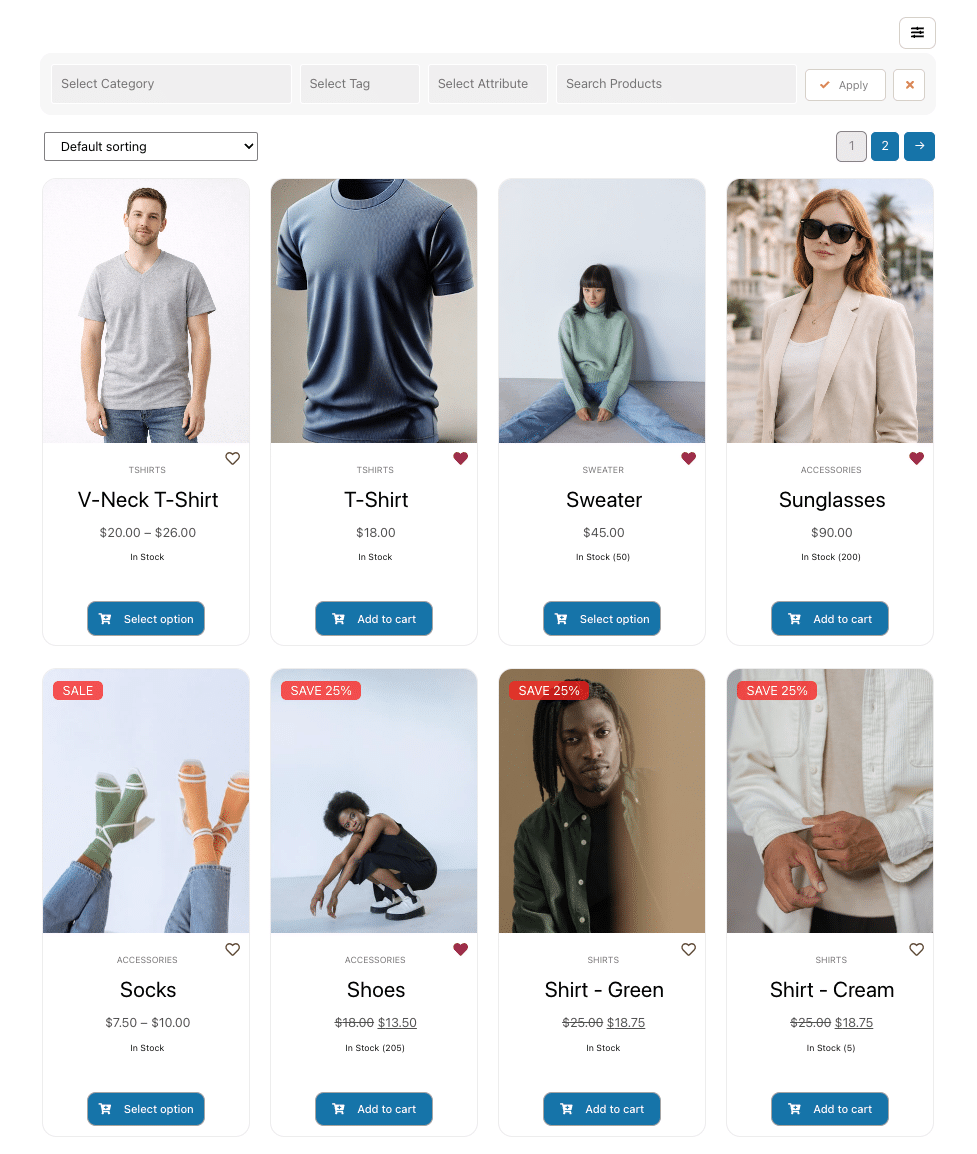
Create modern, responsive product grids with sorting, paging, and clean layouts for effortless browsing.
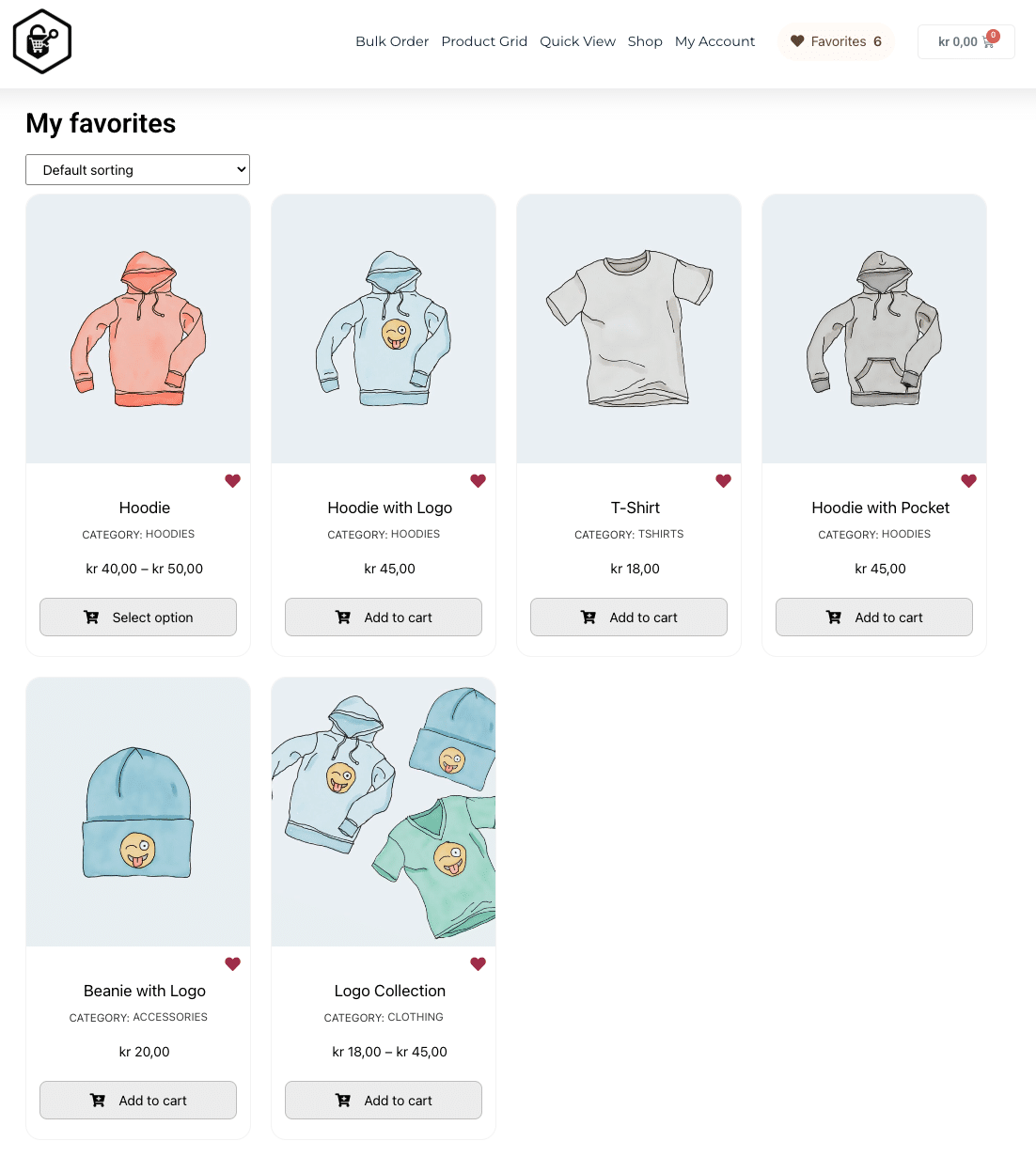
Favorites (Free)
Let customers save products they want to come back to — and build simple “My Favorites” flows directly in Elementor.
Customer insights (PRO)
See which products customers are saving and how interest evolves over time — helping you identify demand before it turns into sales.
Recently Viewed Peek (Free)
Let customers revisit products they have already explored without losing their place on the page.
Cart Peek (PRO)
Add a side cart so customers can review selected products while staying in the shopping flow.
Abandoned Cart (PRO)
Review abandoned carts, frequently abandoned products, estimated lost revenue and recoverable carts in one dashboard.
Category Grid (Free)
Display WooCommerce categories in a responsive grid to give customers a clear starting point for browsing.
Countdown (PRO)
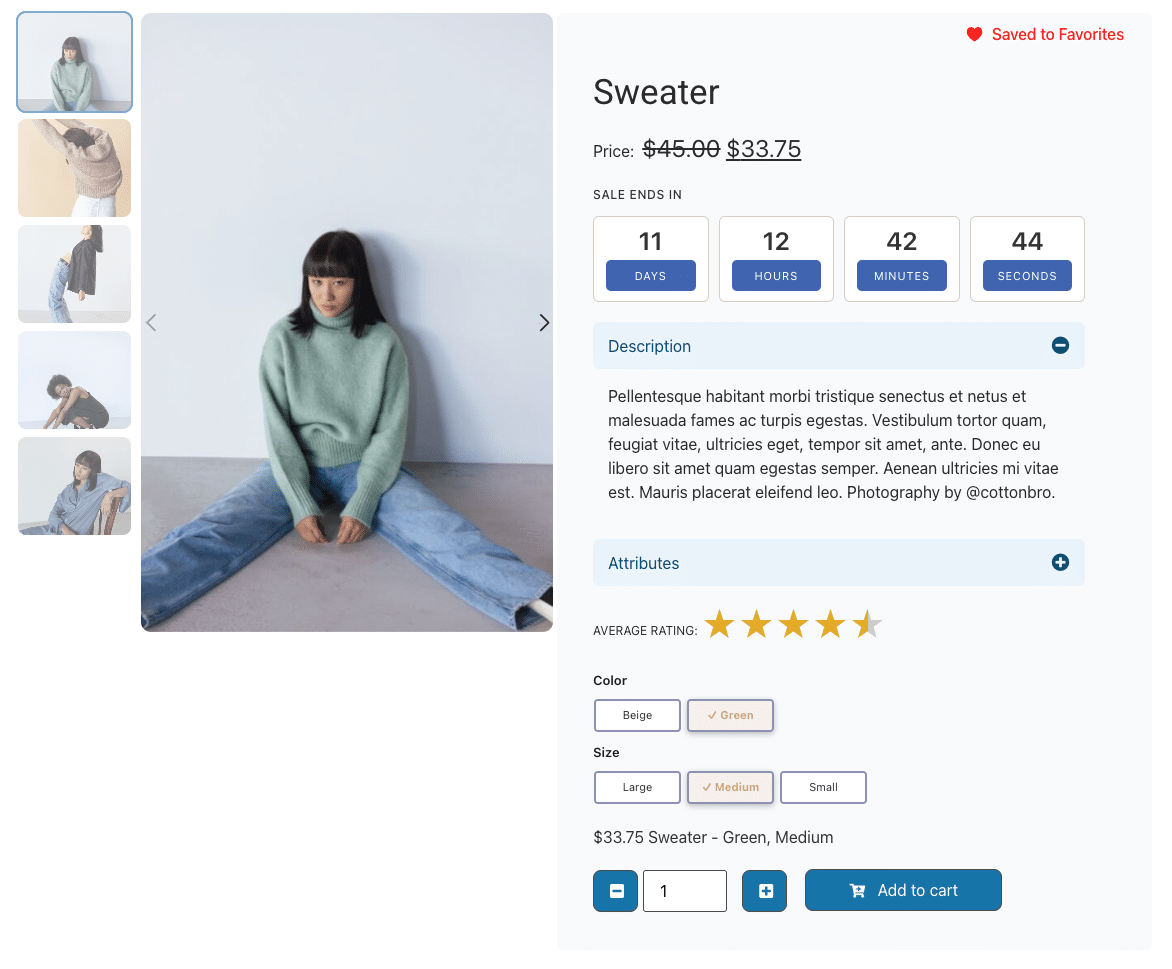
Add urgency with timers for promotions and campaigns to drive faster decisions.
Product Images (PRO)
Enhance product visuals with sliders and galleries. Showcase multiple angles and details to increase buyer confidence.
Product Filter Bar (PRO)
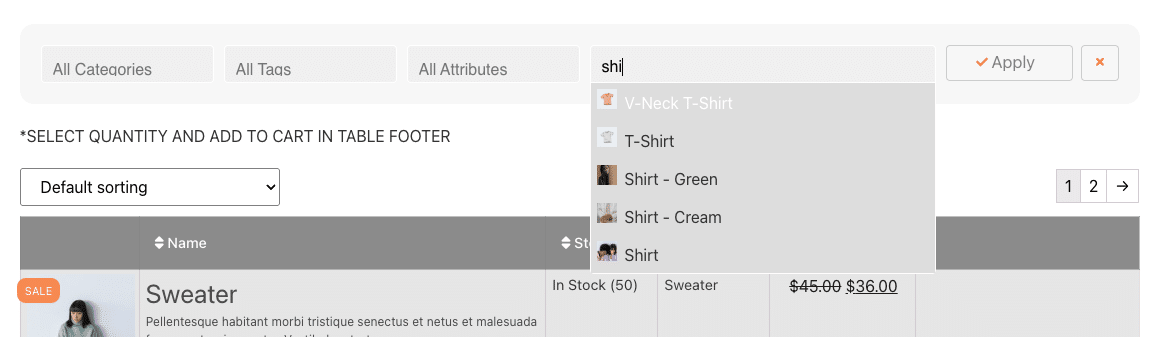
Help customers find products fast with Ajax-powered filters, search, and multi-select options.
Cart Button (Free)
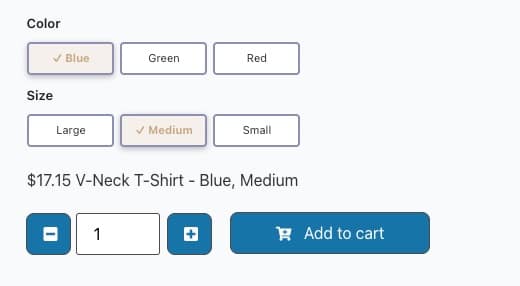
Flexible add-to-cart controls with quantity selectors and variation handling.
Category Carousel (PRO)
Highlight special categories in an interactive carousel. Easy to customize and great for navigation.
Product Field (Free)
Display individual product details and custom fields with precision. Choose from 18+ properties like SKU, weight, or dimensions. Auto-hide empty fields to keep pages clean and professional.
Property Toggle (PRO)
Organize product specifications, features and custom content into expandable sections that keep your pages easy to scan.
Product Price (Free)
Control how prices display with labels, discounts, and VAT settings. Ideal for clear B2B and B2C pricing.
Quick View Button (PRO)
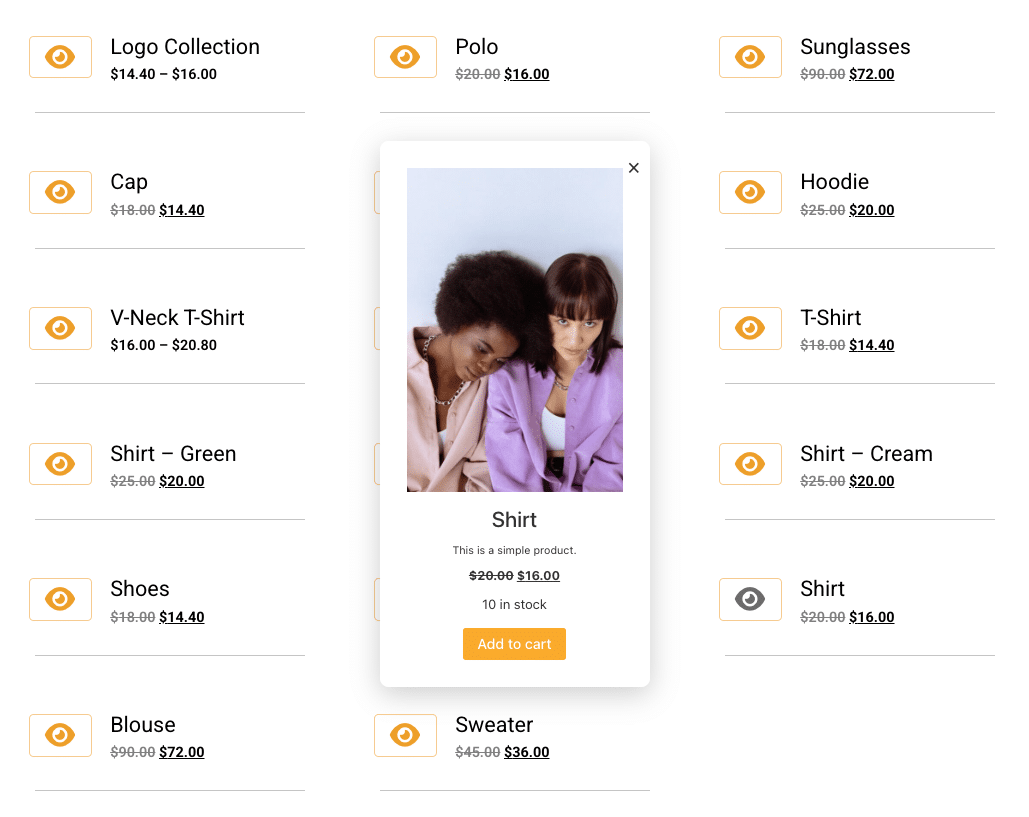
Preview products without leaving the current page. Includes two presets or use your own Elementor template.
Advanced Queries (Free)
Choose products by category, tag, sale status, upsells, cross-sells, Favorites, Recently Viewed or individual selection.
Star Rating (Free)
Show ratings with review links. Boost trust by highlighting social proof at a glance.
Experience ShopKeys in Action
Try product tables, browsing tools and product layouts before choosing your plan. Explore the live demo →
Free vs Pro
ShopKeys Free gives you practical WooCommerce widgets for Elementor, while ShopKeys Pro adds faster shopping tools, richer product experiences, and customer-intent analytics for stores that want more insight.
ShopKeys requires PHP 7.4 or higher and WordPress 6.0 or higher. WooCommerce and Elementor must also be installed and active. See the WordPress.org listing for the current published requirements.
To provide the best experiences, we use technologies like cookies to store and/or access device information. Consenting to these technologies will allow us to process data such as browsing behavior or unique IDs on this site. Not consenting or withdrawing consent, may adversely affect certain features and functions.
Functional
Always active
The technical storage or access is strictly necessary for the legitimate purpose of enabling the use of a specific service explicitly requested by the subscriber or user, or for the sole purpose of carrying out the transmission of a communication over an electronic communications network.
Preferences
The technical storage or access is necessary for the legitimate purpose of storing preferences that are not requested by the subscriber or user.
Statistics
The technical storage or access that is used exclusively for statistical purposes.The technical storage or access that is used exclusively for anonymous statistical purposes. Without a subpoena, voluntary compliance on the part of your Internet Service Provider, or additional records from a third party, information stored or retrieved for this purpose alone cannot usually be used to identify you.
Marketing
The technical storage or access is required to create user profiles to send advertising, or to track the user on a website or across several websites for similar marketing purposes.