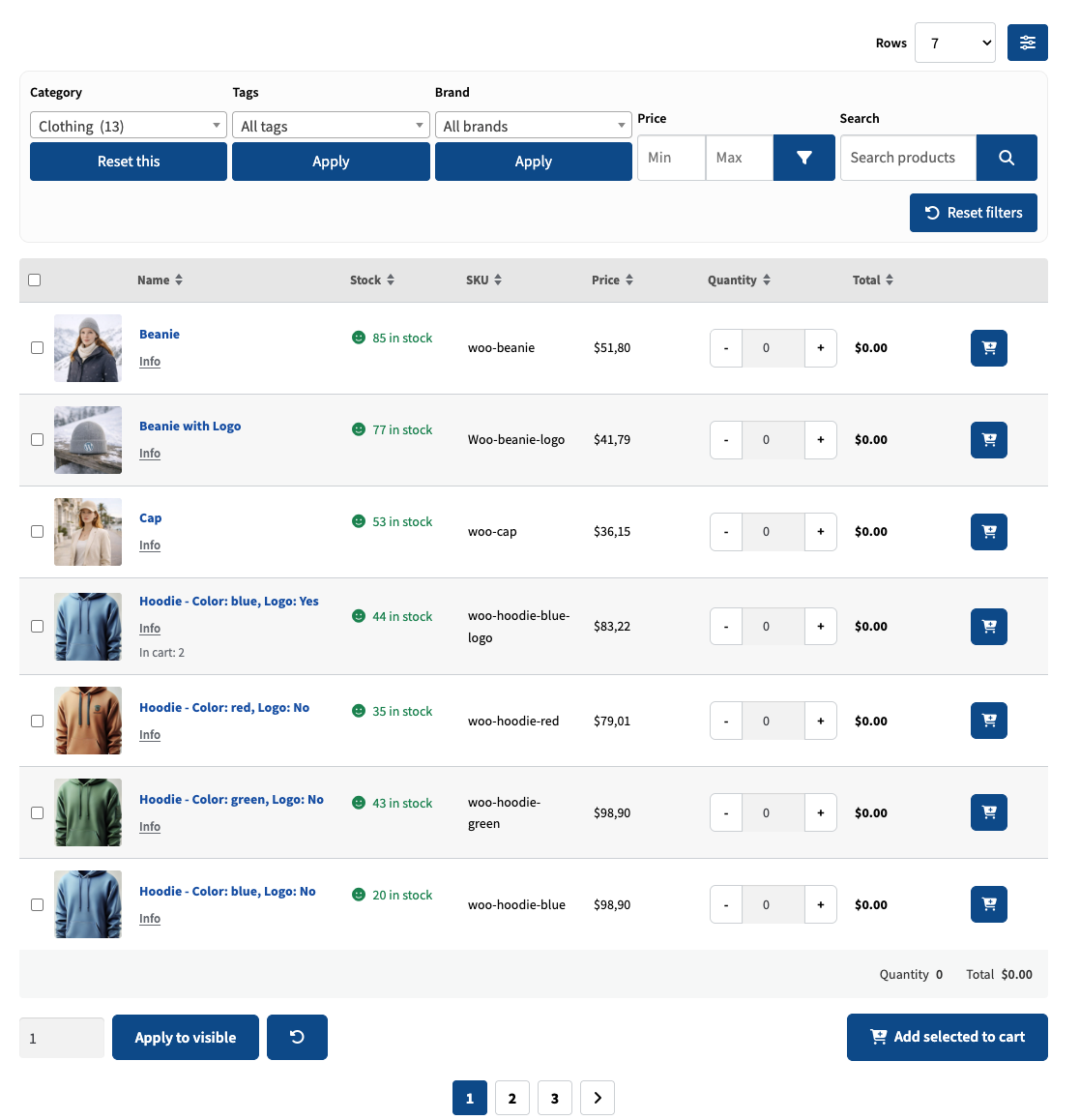
Create tailored product tables with the Bulk Shop Builder for WooCommerce. Choose which products to show, style your table, configure filters and pagination, and give customers a clear way to order multiple products at once.
Build and manage your ordering layouts from one dedicated admin workspace.
Combine Bulk Shop with Roles & Rules B2B for WooCommerce to bring tailored customer pricing and convenient bulk ordering together.
Choose the products you want to offer and build a table around them in the dedicated admin Builder. Configure the layout, labels, styling and browsing controls, then publish it using a simple shortcode.
Let customers select several products and quantities before adding them to cart in one action. Keep browsing, product selection and quantity entry together for a simpler ordering flow.
Present products in a structured grid on desktop and a card layout on mobile. Keep product information and ordering controls accessible across different screen sizes.
Build order forms for simple and variable products. Display variations in dropdowns or expanded rows, and show product pricing and sale badges clearly alongside quantity inputs.
Create a filter area above your table so customers can narrow down the product selection. Configure search, filters and pagination in the Builder to keep larger catalogs easy to browse and order from.
Add tables to bulk order pages, campaign pages or category-based views using shortcodes. Use the included full-width page template when you want an ordering layout without sidebars.
Create and save separate tables for different pages, product selections or ordering needs. Adjust each table through the admin Builder and reuse its shortcode wherever it belongs in your store.
Pair the Bulk Shop ordering experience with Roles & Rules B2B for WooCommerce. Bulk Shop handles product selection and quantities, while Roles & Rules B2B provides the role-based pricing and discounts for your customer groups.
Purchase Bulk Shop at WooCommerce.com and receive updates through your WooCommerce store. Support is handled directly by the Consortia team.
We have the Avada theme which does a lot with CSS itself, which destroyed the layout on the mobile in portrait mode. When you contact support you will not only be helped quickly as well but they helped me until they have fixed it for me! So for both the tool and support MAXIMUM score.
When I contacted support, they knew exactly what i needed and how to implement it. Quite often dealing with other product support services, they can lead you down a path of total frustration, but not with these guys, quick and easy and to the point I would highly recommend this plugin to anyone who is needing a bulk or wholesale shop.