StockTrack is built for:
Create structured warehouse locations with areas, rows, and shelves. StockTrack gives every location a clean code, making it easy for teams to find, count, and update products in the right place.
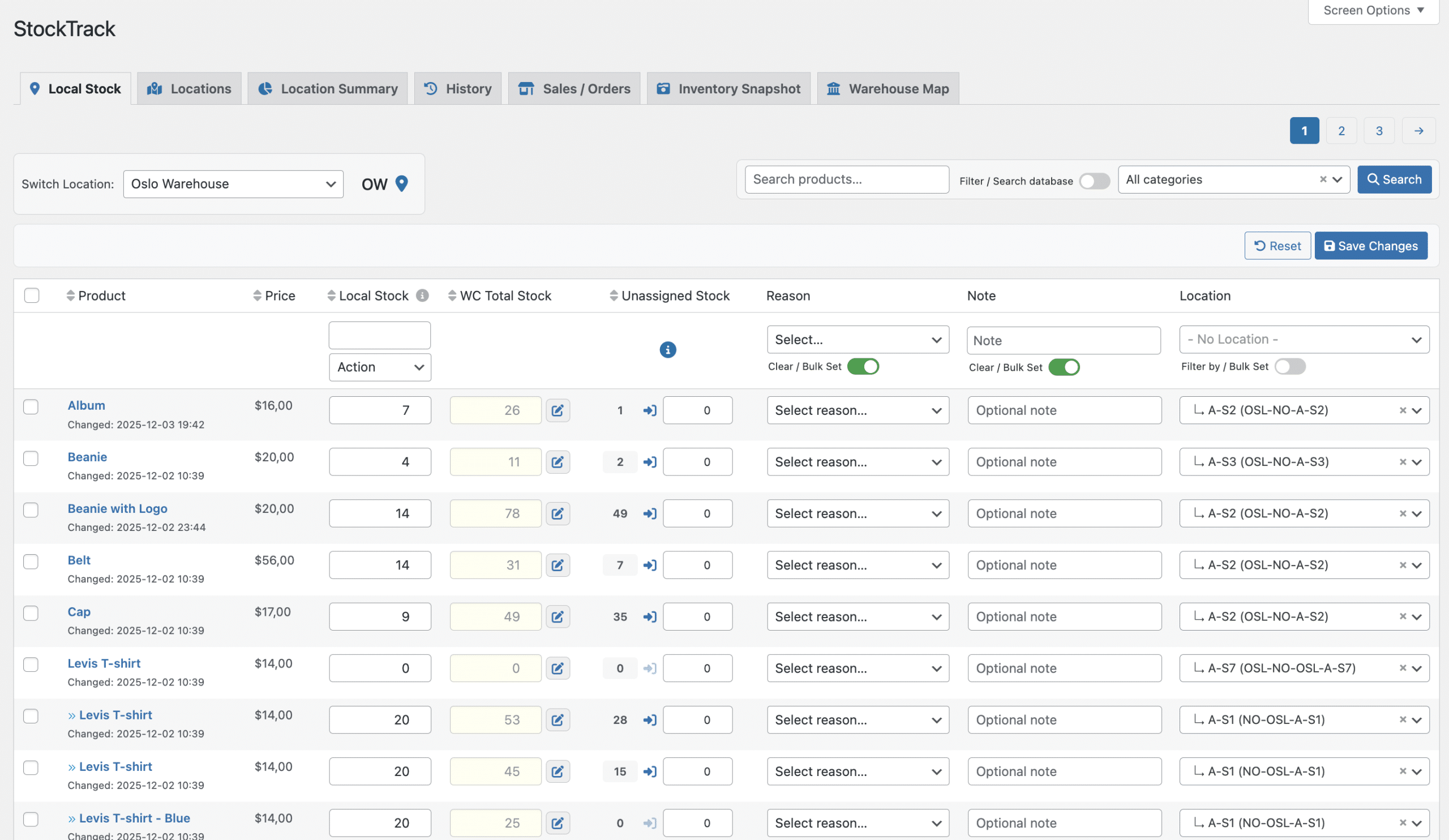
Assign stock to specific locations, adjust quantities quickly, and keep everything synced with WooCommerce’s total stock. No external systems, no duplicated data.
Build a visual representation of your warehouse that matches the real world. Drag locations into place, add multiple packing tables, pick stations, offices, and ramps, resize areas freely, and expand the map as your warehouse grows. Use the map to locate products and guide order picking visually — directly from WooCommerce.
Search for a product or order and instantly see where items are stored. StockTrack highlights all relevant locations directly on the warehouse map, making it easy to spot where to pick from — even when orders span multiple areas.
Perfect for faster picking, fewer mistakes, and onboarding new warehouse staff.
Local stock values are automatically added together to form WooCommerce’s product stock. Your storefront always shows the correct numbers, even across multiple warehouses.
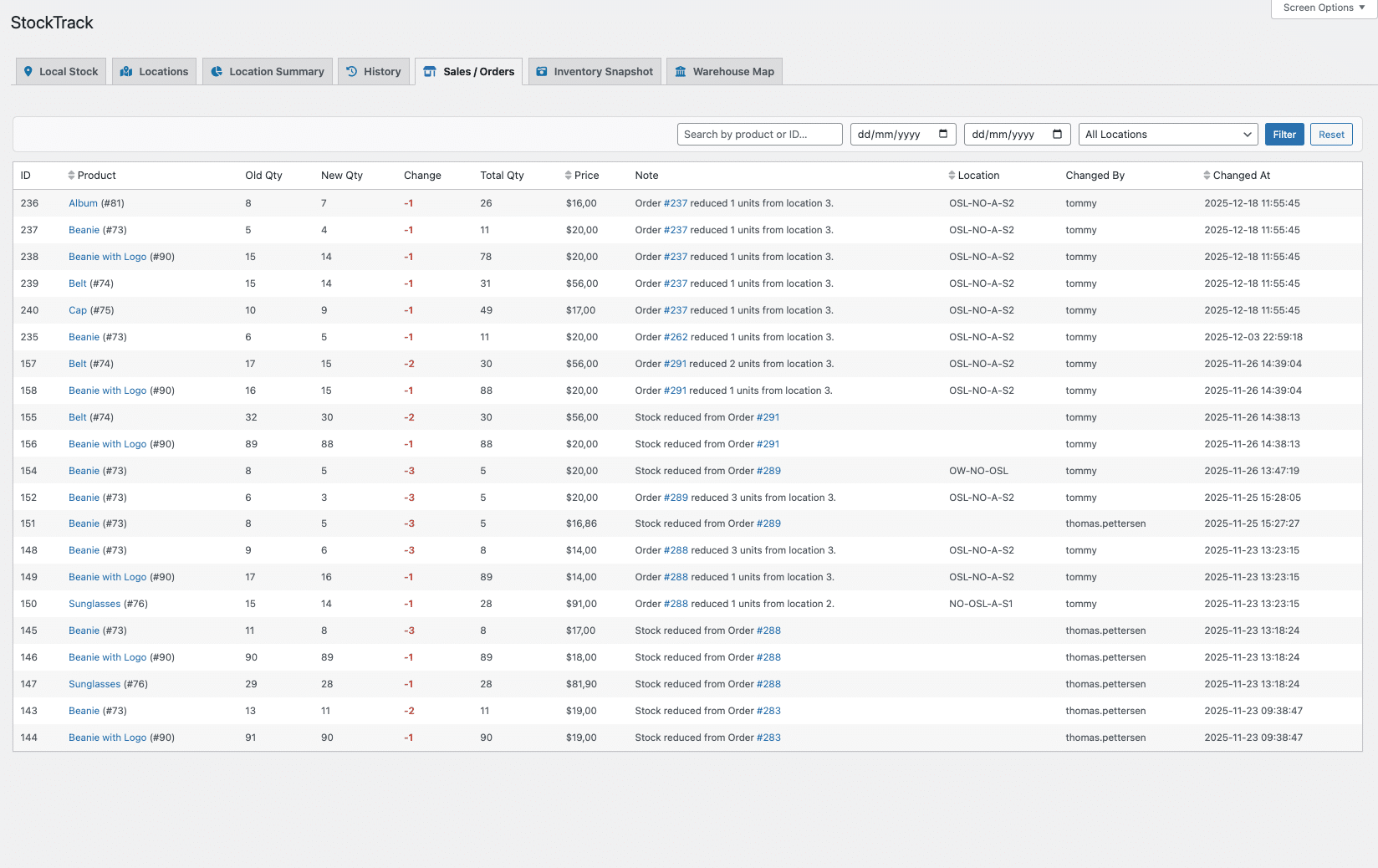
Every adjustment is logged: the old value, the new value, the difference, who changed it, and why. Perfect for teams, audits, and troubleshooting.
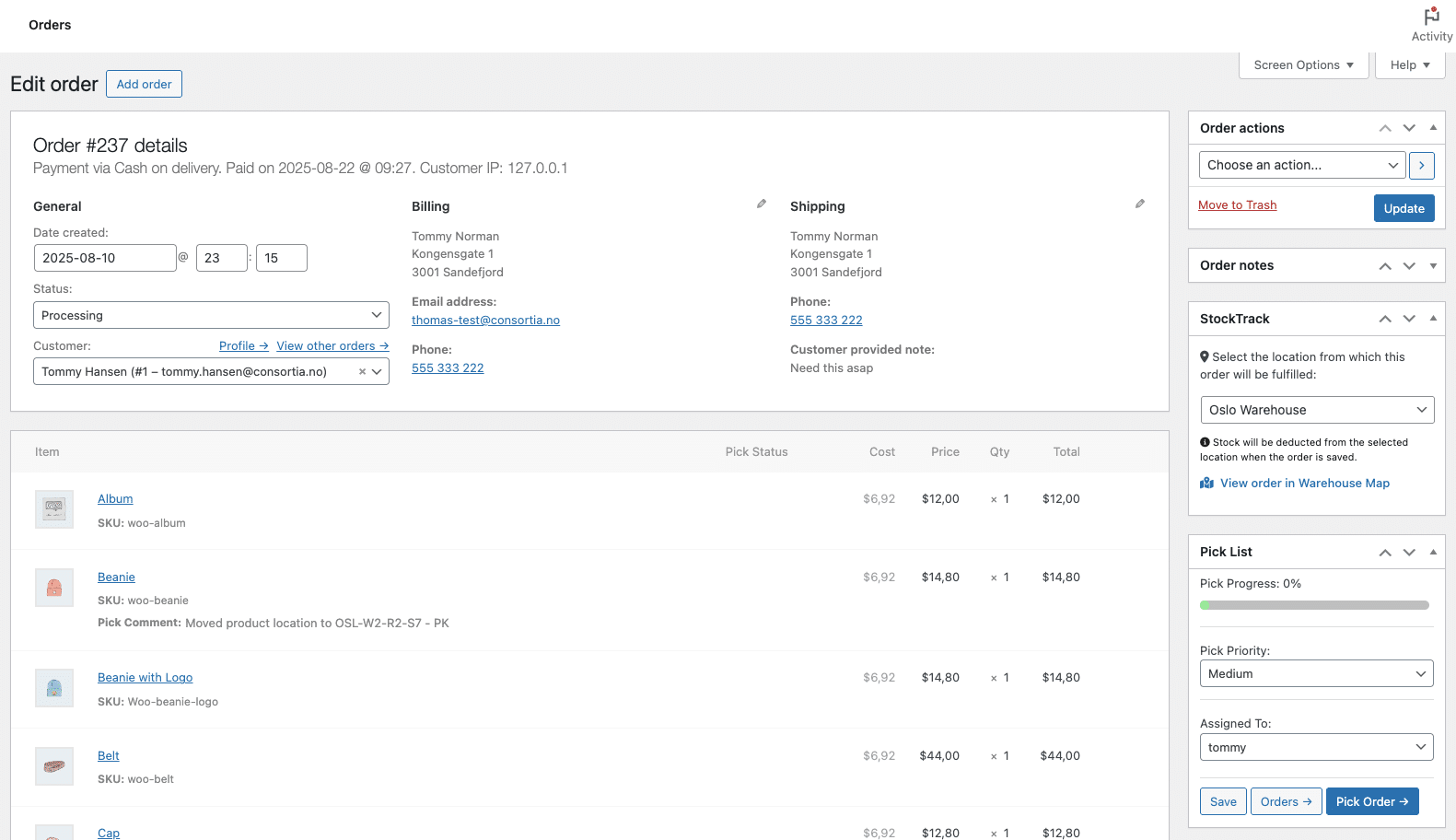
Choose which warehouse fulfills an order directly in the WooCommerce order screen. StockTrack withdraws stock from that location and records the action for complete traceability.
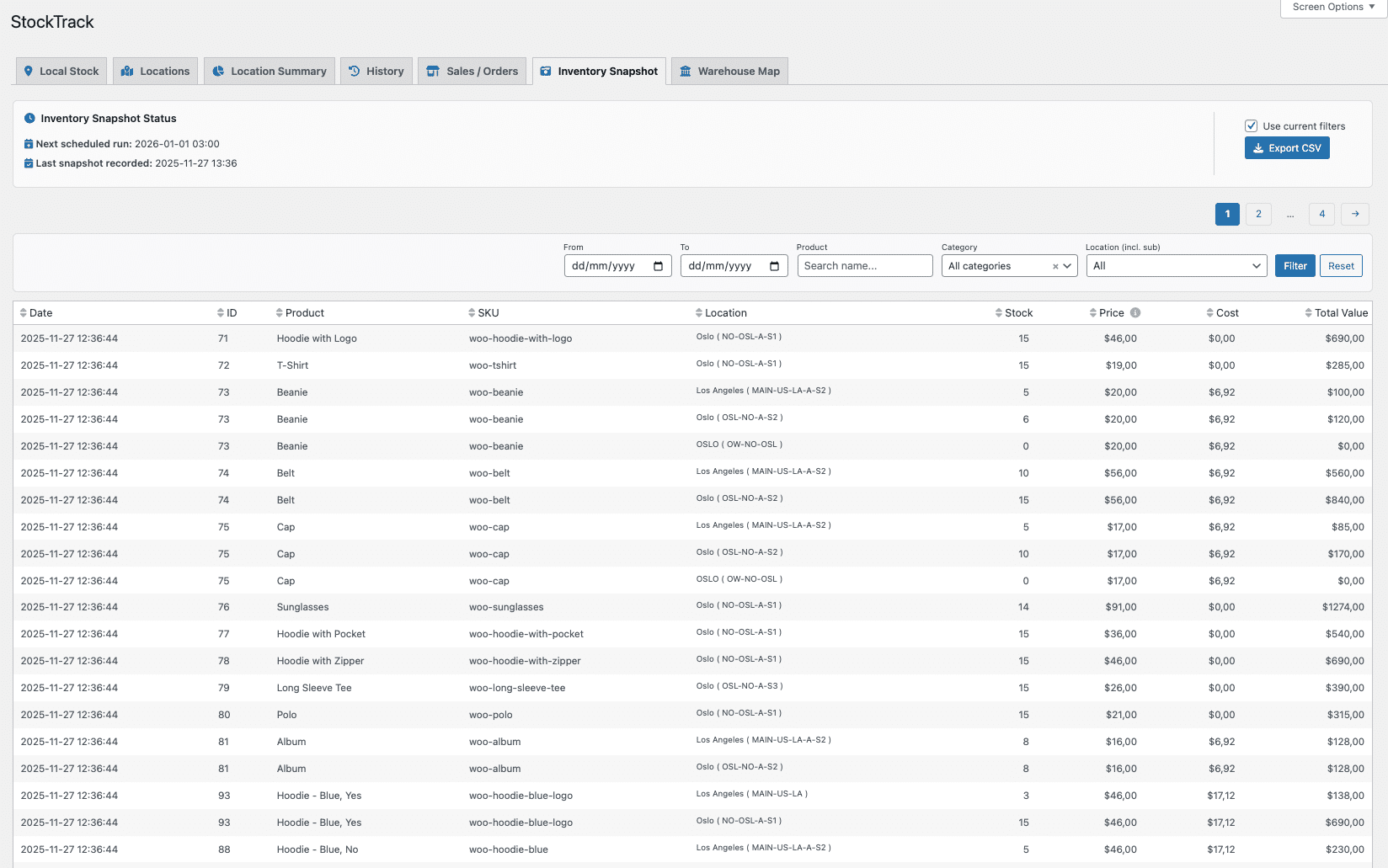
Take snapshots of your inventory manually or on a schedule. Track stock quantity, product cost, and total inventory value over time. Ideal for planning, reporting, and trend analysis.
Export snapshots to CSV for accounting, forecasting, BI dashboards, or offline reporting. Bring your WooCommerce inventory into spreadsheets or external tools in seconds.
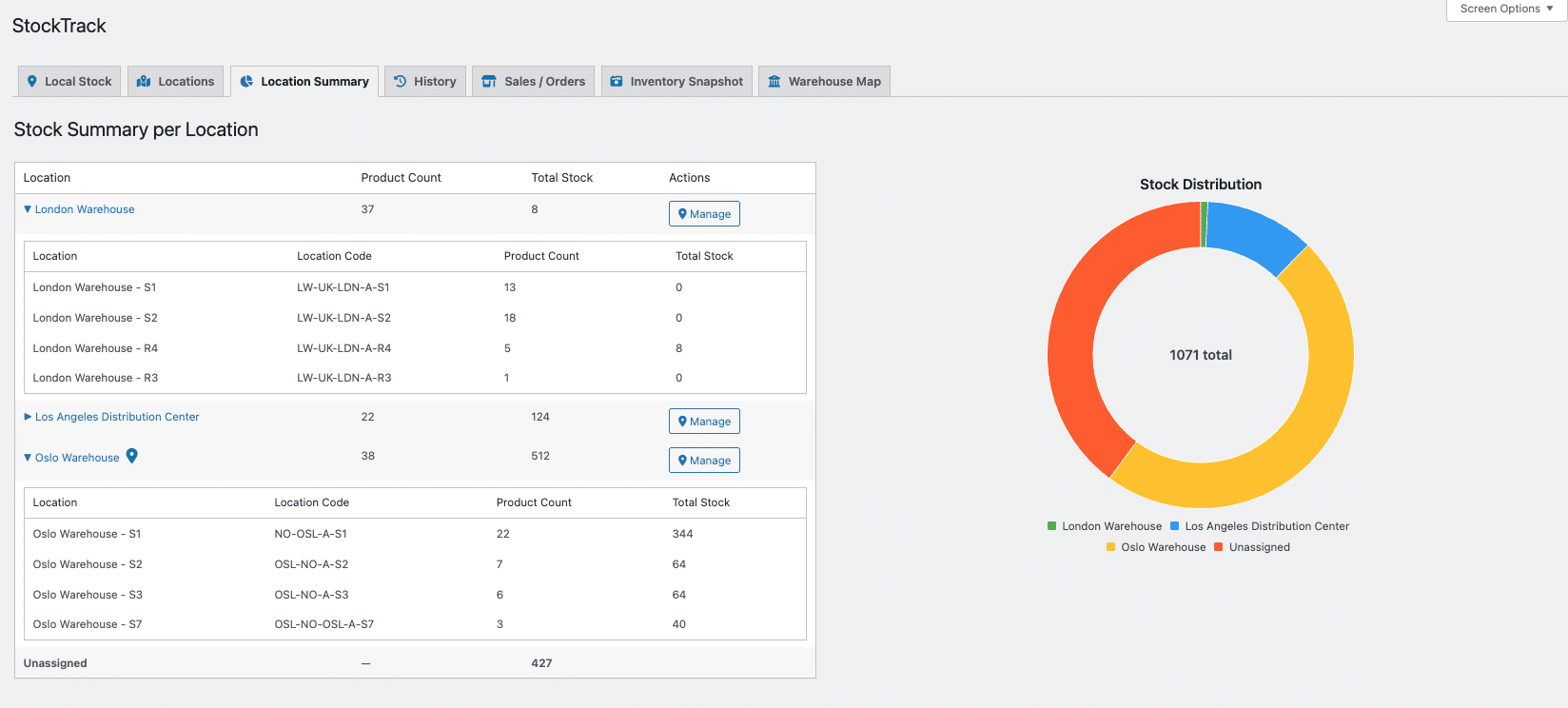
See exactly how your inventory is distributed across all locations with clean summaries and visual charts. Spot imbalances, dead stock, or understocked warehouses instantly.
StockTrack generates clean, structured location codes for every warehouse and sub-location. These codes make navigation simple and help teams identify the correct shelf or row fast. They also integrate directly with Pick List for WooCommerce, enabling accurate picking matched to real storage locations.
Speed up inventory updates with powerful bulk tools. Set local stock, claim WooCommerce stock, assign locations, clear notes, or apply reasons across hundreds of products at once. Perfect for onboarding new warehouses or performing periodic inventory adjustments.
Assign locations to many products in seconds. Whether you’re organizing an existing catalog or updating the layout of a warehouse, bulk assignment makes it effortless to move products into new areas without editing each item individually.
Move existing WooCommerce stock into the correct warehouse with a single action. Claiming transforms “unassigned stock” into properly tracked local inventory. Ideal after first-time setup or when switching from another inventory method.
StockTrack treats each variation independently. Assign different locations, track unique stock levels, and generate accurate snapshots per variation. Location availability on the frontend also updates automatically when a customer selects a variation.
StockTrack organizes your inventory workflow into logical steps: create locations, assign stock, manage daily adjustments, track order withdrawals, and capture snapshots. No ERP learning curve, just a WooCommerce-native workflow designed for speed and clarity.
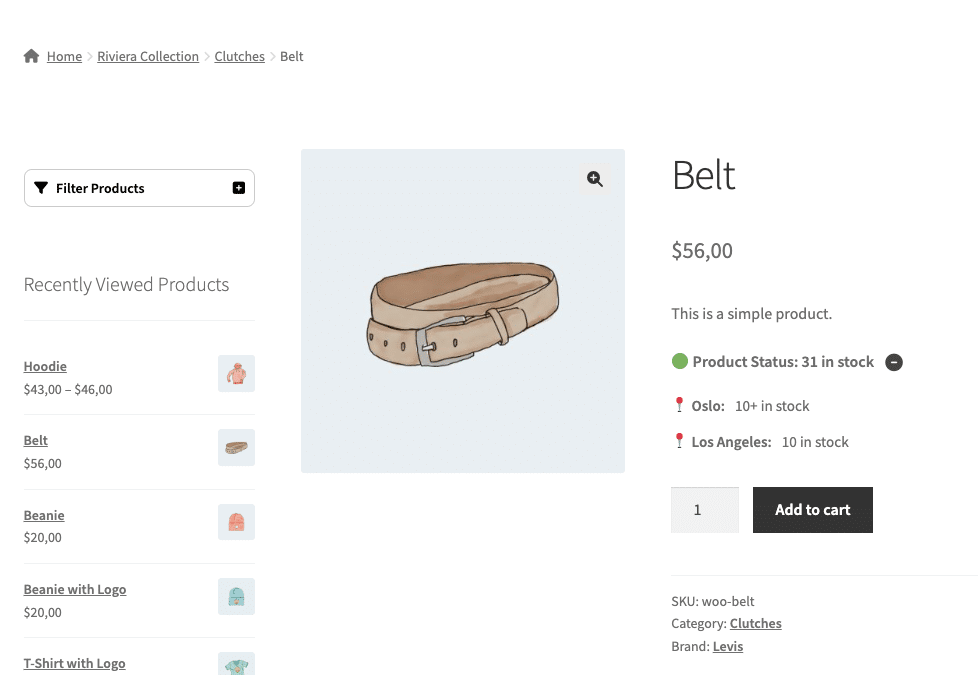
Show customers where products are available — with exact numbers, hidden values, or capped display. Supports variable products and includes a built-in expand/collapse toggle.
Open any order directly in the Warehouse Map from the WooCommerce Edit Order screen. StockTrack loads the correct warehouse automatically and highlights every location involved in the order. Product locations blink on the map with ordered quantities visible, giving your team a clear visual picking guide before fulfillment starts.
StockTrack extends WooCommerce’s own inventory model instead of replacing it. This keeps your store compatible with themes, checkout, POS systems, and third-party plugins.
When used with Pick List for WooCommerce, StockTrack shows location status and local stock directly in the Pick Order view, with one-click access to the Warehouse Map for each order.

This extension is exclusively available at WooCommerce.com, ensuring reliable updates, secure licensing, and managed support directly from the Consortia team.
Save 20% when subscribing for 2 years!